

How to install a Relay Server on different Linux platforms
To ensure proper installation of the Relay Server, the responder must be installed and registered within the same organization and on the same system. If you plan to install the responder beforehand, you should select a direct connection as the Relay Server will be located on the same system.
From the “Organizations” page, when you create a new organization or select an existing one, it will bring you to a page where you can deploy a new Relay Server.
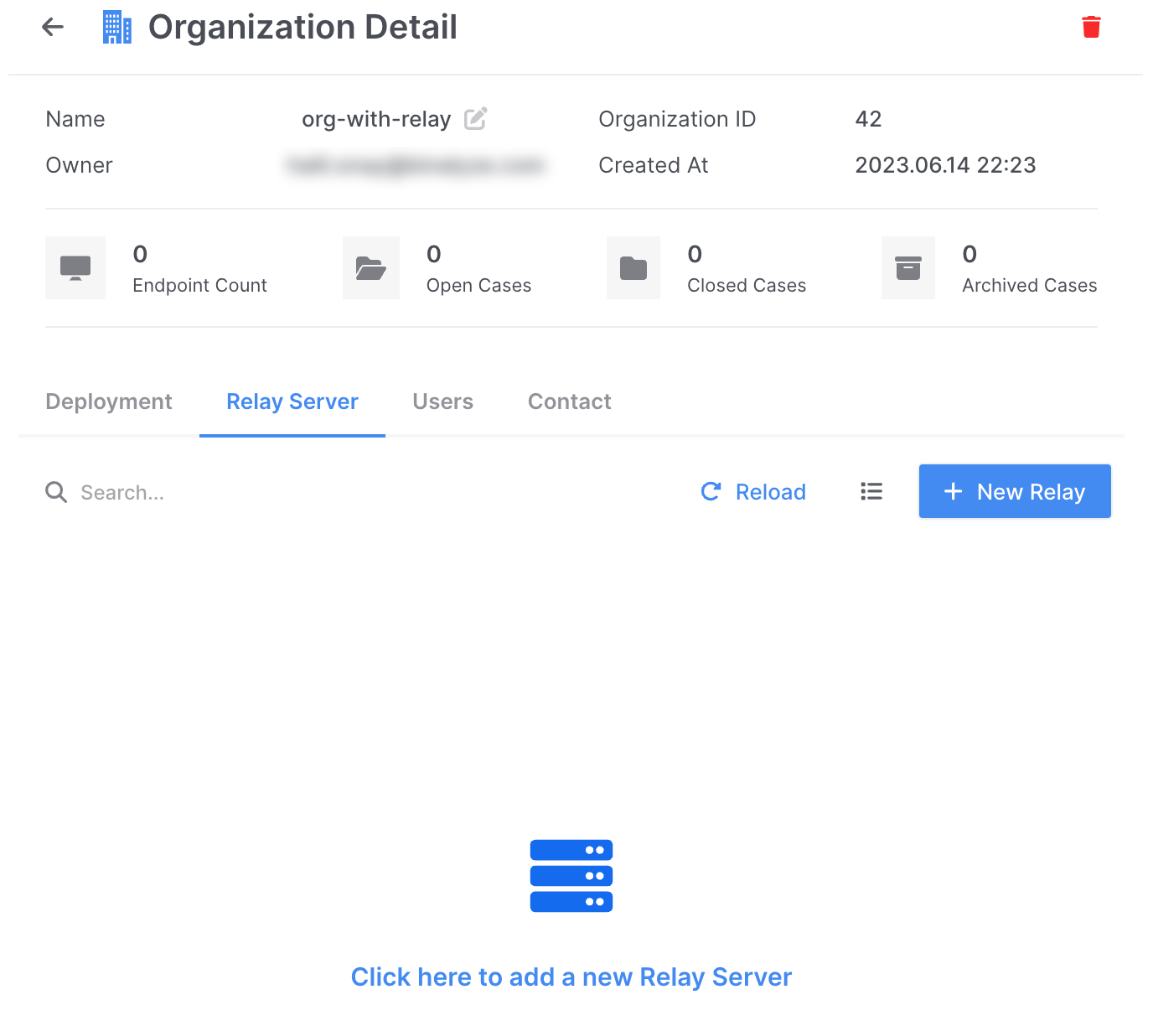
How to install a Relay Server on different Linux platforms: Oranization Detail
By clicking “New Relay”, a deployment page brings up for the Relay Server:
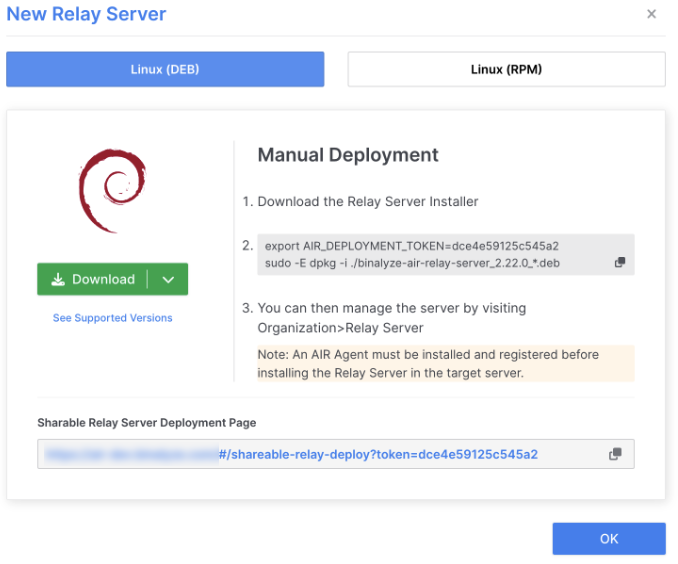
How to install a Relay Server on different Linux platforms: Linux Debian
As you can see, there are packages available based on Debian or Redhat distributions. You can select either the 64-bit or ARM64 version by clicking the arrow next to the “Download” button.
Once the package is downloaded, you will need to configure the environment settings for the Relay Server to register with the AIR console. To simplify this process, you can easily copy the necessary commands by clicking the “copy” button located in the right corner of the command.
export AIR_DEPLOYMENT_TOKEN=dce4e59125c545a2sudo -E dpkg -i ./binalyze-air-relay-server_2.22.0_*.debAfter copying the commands, open a terminal and navigate to the directory where you have downloaded the package. If the directory is “Downloads” in your home folder, you can go to that folder by executing the following commands in the terminal:
$ cd ~/Downloads$ export AIR_DEPLOYMENT_TOKEN=dce4e59125c545a2$ sudo -E dpkg -i ./binalyze-air-relay-server_2.22.0_arm64.deb
(Reading database ... 244560 files and directories currently installed.) Preparing to unpack binalyze-air-relay-server_2.22.0_arm64.deb ...Trying to send SIGHUP to processesTrying to lock for single instanceLocked for single instance remove service in progressremove service OKUnpacking binalyze-air-relay-server (2.22.0) over (2.22.0) ... Setting up binalyze-air-relay-server (2.22.0) ...Failed to acquire lock. An instance of the AIR responder is running. Trying to stop the service...Checking lock if it is still held...Lock is held. AIR responder is not runningAIR responder service startedCompletedRelay service is configured successfullyAIR Relay successfully read and set environment variables.Trying to lock for single instanceLocked for single instanceadd service in progressadd service OKAIR Relay is installed.As part of the Relay Server installation process, it performs a check to verify the availability of the responder. Additionally, it configures the responder to manage the newly installed Relay Server.
Upon successful installation, you will be able to view your newly deployed Relay Server on the “Organization Detail” page.
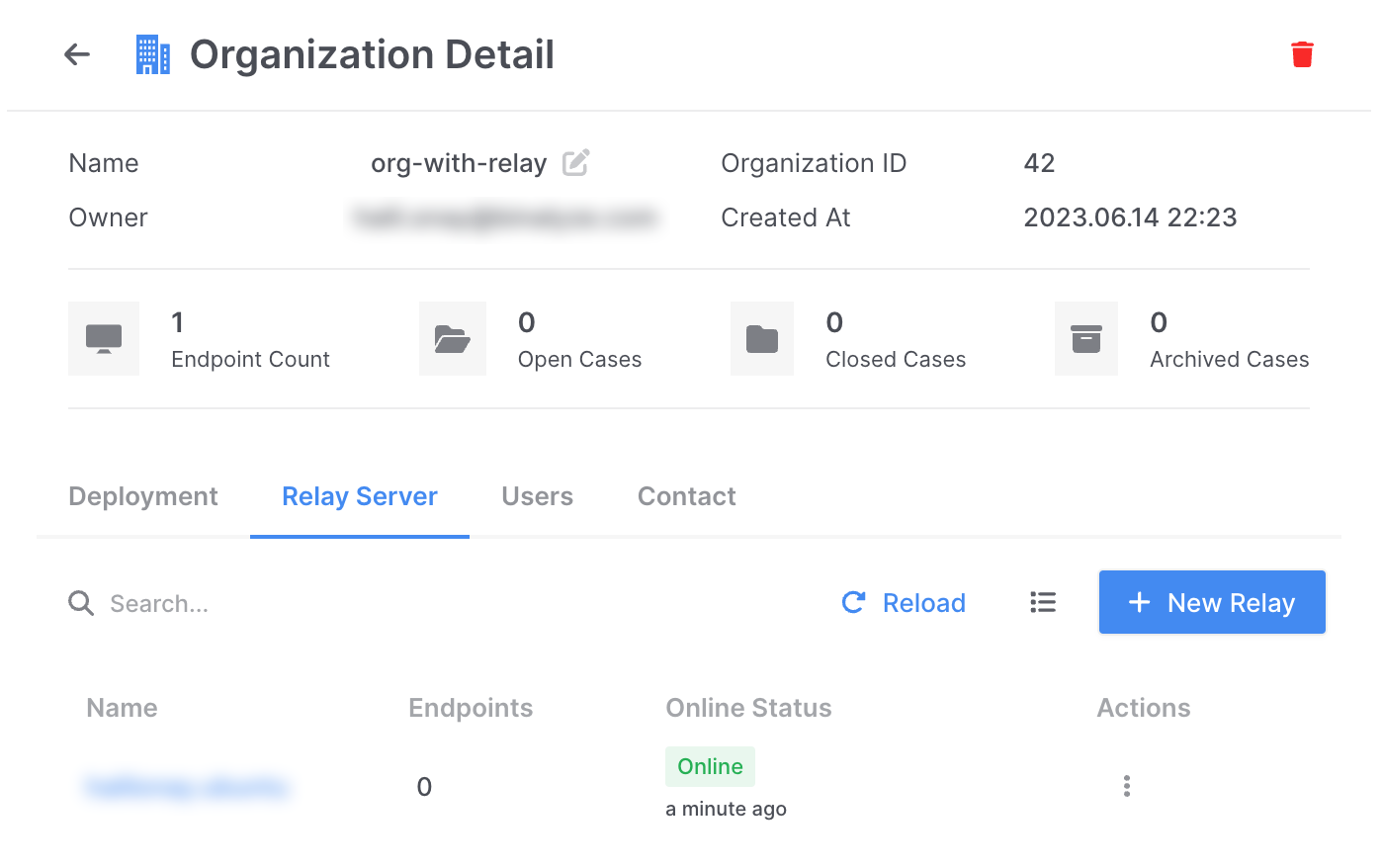
How to install a Relay Server on different Linux platforms: Successful installation